UI/UX Design for SaaS Products: A Practical Guide
June 6th 2026
Most SaaS products don't fail because of bad technology. They fail because users can't figure out how to use them. Research from Userpilot's SaaS product benchmarks consistently shows that a significant share of users abandon a product within the first week — and the leading cause isn't pricing. It's a confusing interface and a broken onboarding experience. For any SaaS product competing in a crowded market, UI/UX design for SaaS products isn't a cost centre — it's the gap between activation and abandonment.
This guide covers the principles, process, and common design failures that define whether SaaS products retain users or lose them.
Why UI/UX Design is Critical for SaaS Success
SaaS operates on a fundamentally different model than packaged software. There's no one-time purchase to recover. Retention is the business model. That makes UX a direct revenue variable — not a branding concern.
The Direct Link Between UX and Churn Rate
Churn is the metric that keeps SaaS founders up at night, and design is one of its least-discussed drivers. When a user encounters friction — unclear navigation, a cluttered dashboard, an onboarding flow that demands too much upfront — they don't file a complaint. They cancel. Forrester research has long documented that improved UX measurably reduces support costs and increases user retention across software products. More specifically, products with poor information architecture see higher abandonment at key workflow steps, because users lose confidence in the interface before they've experienced the product's core value. The design problem most SaaS teams face isn't a feature deficit. It's that existing features are buried, poorly labelled, or require too many steps to reach.
How Good Design Drives Product-Led Growth
Product-led growth (PLG) — where the product itself drives acquisition and expansion — only functions when users can independently discover value. That requires UX design that reduces time-to-value: the number of steps between sign-up and the first meaningful outcome. Good SaaS UX enables PLG by eliminating activation barriers, making core workflows self-evident, and surfacing contextual prompts at the right moment. This is structural, not cosmetic. Visual hierarchy, button placement, empty state messaging, and progressive disclosure all determine whether a free user converts to paid — or logs out and never returns.
Core UI/UX Design Principles for SaaS Products
These five principles underpin well-designed SaaS products. They're functional requirements, not aesthetic guidelines.
1. Prioritise User Onboarding Flow
The first session sets a user's mental model of your product. If that model is wrong or incomplete, every subsequent session compounds the confusion. Effective SaaS onboarding UX doesn't drop users into a feature-heavy dashboard from day one. It guides them through a defined activation path — typically three to five steps — that produces one meaningful outcome before asking for anything more. Checklists, contextual tooltips, and well-crafted empty states serve this purpose when designed intentionally, not retrofitted as afterthoughts.
2. Build a Consistent Design System
Inconsistency is a trust killer. When buttons behave differently across modules, spacing is uneven, or the same action carries three different labels — users slow down, second-guess themselves, and start doubting the product's reliability. A design system — a shared library of components, typography rules, colour tokens, and interaction patterns — solves this at scale. For SaaS products where multiple team members contribute to the interface over time, a design system is the difference between a coherent product and a patchwork interface that looks like three companies built it.
3. Design for Information Architecture
Information architecture (IA) determines how users navigate from one task to another. Poor IA in SaaS products shows up as navigation that doesn't reflect actual workflows, settings buried under unintuitive labels, and screens requiring too many clicks to reach common functions. Effective IA is the result of card sorting exercises, tree testing, and usage analytics — not assumptions. It maps the product to how users think, not how developers structured the codebase.
4. Make Dashboards Scannable and Intuitive
SaaS dashboards are high-stakes design territory. They're typically the first screen users see after login, and they need to communicate status, progress, and next steps at a glance. The most common failure is density: cramming every metric and function onto a single screen. Effective SaaS dashboard UI design uses visual hierarchy to separate primary data from secondary, groups related actions logically, and surfaces only what's relevant to the user's current role or context. A dashboard that shows everything shows nothing.
5. Accessibility and Responsive Design
Accessibility in SaaS is both a compliance requirement and a quality signal. WCAG 2.1 AA compliance — covering colour contrast ratios, keyboard navigation, screen reader compatibility, and visible focus states — is increasingly expected by enterprise buyers and government-adjacent organisations during procurement. Responsive design matters because SaaS usage on mobile and tablet continues to grow. Field teams, executives, and remote workforces access products on phones. A SaaS product that delivers a degraded mobile experience is actively restricting its user base.
The SaaS UI/UX Design Process: Step by Step
Strong SaaS UX doesn't emerge from a single sprint. It follows a structured process from research through to validated release.
Step 1: User Research and Persona Building
Before any wireframe is drawn, the design team needs to understand who is actually using the product. User research for SaaS typically draws on: qualitative interviews with current and target users, analysis of support tickets and cancellation surveys, in-product behaviour data showing where users drop off, and competitive benchmarking against products in the same category. The output is a set of validated user personas — not marketing assumptions, but profiles grounded in behavioural evidence. These personas inform every subsequent design decision.
Step 2: Wireframing and Information Architecture
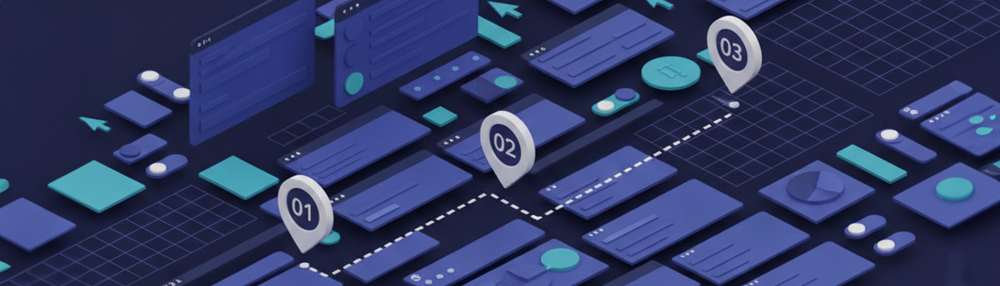
Wireframing is where structure gets tested before visual design is applied. Low-fidelity wireframes allow teams to evaluate navigation logic, screen sequence, and content hierarchy quickly — without the distraction of colour, branding, or typography. This is also where IA is stress-tested: does the navigation reflect how users think about tasks? Are related actions grouped logically? Can a first-time user reach the core feature within two clicks from the dashboard?
Step 3: Prototyping and Design Systems
High-fidelity prototypes apply real components, interactions, and design system tokens to the wireframe structure. For SaaS products, prototyping serves two purposes: it enables realistic usability testing before a single line of production code is written, and it forces the team to resolve edge cases — empty states, error messages, loading states — that are easy to skip in wireframes and expensive to fix after launch. This stage either establishes the design system (for new products) or enforces it (for redesigns).
Step 4: Usability Testing and Iteration
Testing with real users before release is non-negotiable for SaaS products. Moderated usability sessions reveal where users hesitate, what they misread, and which workflows generate confusion — insights that post-launch A/B testing cannot surface quickly enough to prevent churn. The Nielsen Norman Group's established guidance recommends testing with five users per round to surface the majority of critical usability issues. Multiple short rounds are more effective than a single large test: each round informs the next iteration and progressively reduces design risk before deployment.
Common UI/UX Mistakes in SaaS Products (and How to Fix Them)
Even well-resourced SaaS teams make the same design errors. These three appear most consistently.
Overcrowded Dashboards
The instinct to surface everything on the dashboard — every metric, shortcut, and notification — comes from good intentions: teams want users to see the product's value immediately. The result is usually the opposite. Visual noise trains users to ignore the interface, and important signals get lost in the clutter. The fix is contextual and role-based dashboards. Show users what's relevant to their function and current stage, not a uniform feed of everything the product can do.
Weak Onboarding Sequences
Onboarding that relies entirely on a tooltip walkthrough — "click here, now click here" — creates no durable mental model. Users complete the tour and immediately forget how to perform the action independently, because the learning was passive. Task-based onboarding works differently: it guides users to complete a real workflow in their first session, not a simulated one. The cognitive anchoring comes from doing.
Ignoring Mobile Users
Many B2B SaaS teams design for desktop first and treat mobile as a post-launch consideration. For approval workflows, field data entry, and executive reporting, this creates a genuine gap. Responsive design at the application layer requires more than scaling down the desktop layout — it means rethinking which actions are most needed on mobile and designing touch-first interaction patterns from the outset.
When to Hire a UI/UX Design Agency for Your SaaS Product
Internal product teams build deep domain knowledge, but they also accumulate blind spots. An external UI/UX design studio brings structured methodology, cross-industry pattern recognition, and the objectivity to challenge assumptions that internal teams have long stopped questioning.
Signs You Need a Dedicated SaaS UX Partner
Consider engaging an agency when:
- Activation rates are below benchmarks and internal iterations aren't moving them
- The product has scaled but the interface hasn't been redesigned since MVP
- Enterprise sales require a more polished, compliant UI — WCAG, SOC 2 buyer expectations
- The product is entering a new market segment with different user workflows
- Feature velocity has outpaced UX coherence, and the interface now feels like a collection of additions rather than a unified product
What to Look for in a SaaS UX Design Agency in India
The market for UI/UX design agencies in India has matured. When evaluating partners for SaaS work, look for:
Portfolio evidence of SaaS-specific work — dashboards, onboarding flows, design systems. A general branding or marketing design portfolio doesn't demonstrate the analytical rigour SaaS UX requires.
A defined research and testing methodology — agencies that skip user research and move directly to visual design are optimising for aesthetics, not activation.
Clean developer handoff practice — Figma component libraries, design tokens, and well-documented specifications reduce friction between design and engineering. A web app development agency that handles both design and development can eliminate this handoff gap entirely.
Experience working inside a product roadmap — SaaS UX work runs parallel to engineering sprints. The agency needs to produce artefacts that fit your development workflow, not disrupt it.
Frequently Asked Questions
What is UI/UX design for SaaS products? UI/UX design for SaaS products covers the structured design of the visual interface (UI) and end-to-end user experience (UX) for software-as-a-service applications. It encompasses onboarding flows, dashboard architecture, navigation systems, interaction patterns, and accessibility — all oriented toward making the product fast to learn and easy to retain.
How does good UX reduce SaaS churn? Poor UX creates friction at critical workflow steps, causing users to disengage before reaching the product's core value. Effective UX shortens time-to-value, reduces support dependency, and makes key features discoverable without assistance. These factors improve activation rates and sustained engagement — reducing voluntary churn.
How long does a SaaS UX redesign take? A focused redesign covering research, wireframing, prototyping, and usability testing typically runs 8–16 weeks, depending on product complexity and scope. Full design system builds or multi-module applications require longer timelines. Phased redesigns — starting with the highest-friction areas — are often more practical for products in active development cycles.
What does a SaaS UI/UX design agency do? A SaaS UI/UX design agency conducts user research, defines information architecture, produces wireframes and high-fidelity prototypes, builds design systems, and runs usability testing. Agencies with integrated development capabilities also manage front-end implementation, reducing the translation gap between design intent and shipped product.
Conclusion
SaaS products built on rigorous UI/UX design — grounded in user research, governed by consistent design systems, and validated through structured testing — outperform those where design is layered on after the fact. The quality of the experience directly determines whether users activate, retain, and expand. If your product is losing users at onboarding, struggling to convert free users, or carrying years of accumulated UX debt, a structured design engagement typically delivers faster returns than another development sprint. Designbox's UI/UX design studio works with SaaS teams and product companies to design interfaces that are both functionally clear and commercially effective. Get in touch to discuss your product.